

Series — Fast Database Queries (Part 1). This post covers 10 core practices with real examples. A later part will add 10 more advanced practices (caching layers, batching, reporting patterns, and scale tactics).
Introduction
Every click in your application eventually touches data. Listing clients, loading an invoice, searching orders, showing a dashboard—behind each screen is one or more database queries. When those queries are fast, the app feels sharp. When they are slow, users blame “the website,” even if your UI code is fine.
This guide explains how to make your queries run fast and how query speed affects your whole application. You will get 10 practical best practices with real project-style examples (Laravel + MySQL style, but the ideas apply to most relational databases).
You do not need to memorize theory. You need habits that keep everyday queries light, selective, and measurable.
Why fast queries matter for your application
A slow query is not only a database problem. It spreads through the stack:
- User experience — pages hang, buttons feel dead, mobile users leave
- Server load — PHP/Laravel workers stay busy waiting on MySQL, so fewer requests can run at once
- Timeouts and errors — long queries hit gateway timeouts, queue jobs fail, APIs return 500s
- Cost — you pay for bigger servers instead of fixing wasteful SQL
- Feature quality — reports, search, and admin lists become “too heavy to use”
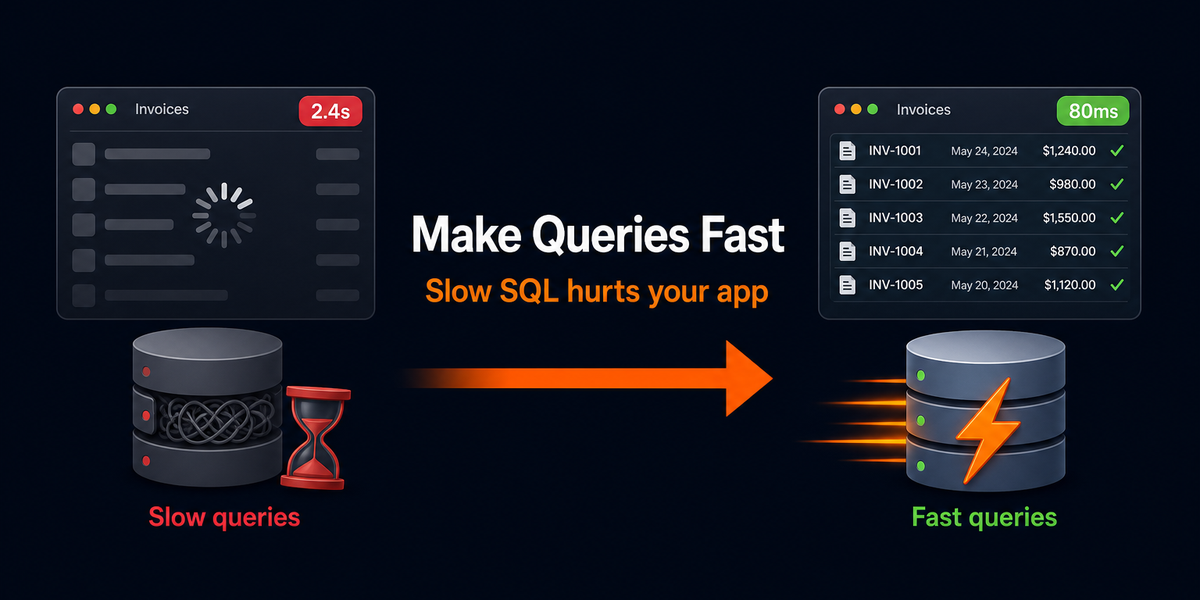
Example from a real-style client portal: an invoices list that runs SELECT *, loads every payment in a loop (N+1), and sorts without an index may take 2–4 seconds with 50,000 rows. Users think the app is broken. After selecting only needed columns, eager-loading payments, adding an index on (client_id, issued_at), and paginating 20 rows, the same screen can drop under 100–200 ms. Same feature. Different query habits.
Rule of thumb: if a page feels slow, check the database first—count queries, check duration, then fix the worst offenders.
How to read this Part 1
Each practice below follows the same shape:
- What to do
- Why it speeds things up
- A real project example (before / after)
Part 2 (planned) will continue with practices 11–20 for heavier data, caching, and scale.
10 best practices to make queries run fast
1. Select only the columns you need
What to do: Avoid SELECT * in application queries. Ask for the fields the screen or API actually uses.
Why it helps: Less data leaves the disk, less memory is used, and network transfer between MySQL and PHP shrinks—especially with wide tables (addresses, notes, JSON, blobs).
Real example — invoice list
// Slow: pulls every column, including long notes/html
$invoices = DB::table('invoices')->where('client_id', $clientId)->get();

// Faster: only what the table UI needs
$invoices = DB::table('invoices')
    ->select('id', 'invoice_number', 'total', 'status', 'issued_at')
    ->where('client_id', $clientId)
    ->get();
In Eloquent:
Invoice::query()
    ->select(['id', 'invoice_number', 'total', 'status', 'issued_at'])
    ->where('client_id', $clientId)
    ->get();
2. Index the columns you filter, join, and sort on
What to do: Add indexes for common WHERE, JOIN, and ORDER BY columns. Use composite indexes when you always filter by two columns together.
Why it helps: Without an index, MySQL may scan most of the table. With an index, it jumps to matching rows.
Real example — client invoices by date
-- Common query pattern
SELECT id, invoice_number, total, issued_at
FROM invoices
WHERE client_id = 42
ORDER BY issued_at DESC
LIMIT 20;

-- Helpful composite index (filter + sort)
CREATE INDEX invoices_client_id_issued_at_index
ON invoices (client_id, issued_at);
In a Laravel migration:
$table->index(['client_id', 'issued_at']);Do not index everything blindly. Extra indexes slow writes (INSERT/UPDATE) and waste space. Index what your slow query log and real pages actually use.
3. Kill N+1 queries with eager loading
What to do: If you loop models and touch a relation, load that relation up front (with() in Laravel).
Why it helps: N+1 means 1 query for the list + 1 query per row. 100 invoices become 101 queries. Eager loading can make it 2.
Real example — invoice list with client name
// Slow: 1 query for invoices + 1 query per invoice for client
$invoices = Invoice::latest()->limit(100)->get();
foreach ($invoices as $invoice) {
    echo $invoice->client->name; // hidden query each time
}

// Fast: 2 queries total
$invoices = Invoice::with('client:id,name')
    ->latest()
    ->limit(100)
    ->get();
In Laravel Debugbar / Telescope, N+1 shows up as a wall of repeated identical queries. Fix those first—often the biggest win for app speed.
4. Paginate (or limit) instead of loading everything
What to do: Never load “all rows” into PHP for admin lists, search results, or APIs. Use paginate(), cursor pagination, or a hard LIMIT.
Why it helps: Transferring and hydrating 50,000 models can freeze memory and CPU even if SQL itself is “okay.”
Real example — orders admin
// Dangerous as data grows
$orders = Order::with('customer')->latest()->get();

// Stable
$orders = Order::with('customer:id,name')
    ->latest()
    ->paginate(25);
For exports/reports, do not paginate in the browser sense—process in chunks (see Part 2 plans for chunk/cursor patterns).
5. Filter and aggregate in SQL, not in PHP loops
What to do: Push WHERE, COUNT, SUM, and grouping into the database.
Why it helps: Databases are built for set operations. PHP loops over huge collections waste memory and time.
Real example — unpaid total for a client
// Slow approach
$invoices = Invoice::where('client_id', $clientId)->get();
$totalDue = $invoices
    ->where('status', 'unpaid')
    ->sum('total');

// Fast approach
$totalDue = Invoice::query()
    ->where('client_id', $clientId)
    ->where('status', 'unpaid')
    ->sum('total');
6. Keep WHERE clauses index-friendly
What to do: Avoid wrapping indexed columns in functions in ways that block index use. Prefer ranges and direct comparisons.
Why it helps: WHERE YEAR(issued_at) = 2026 often forces a scan. A date range can use an index on issued_at.
Real example — this year’s invoices
// Often slower (function on column)
Invoice::whereRaw('YEAR(issued_at) = ?', [2026])->get();

// Index-friendlier
Invoice::whereBetween('issued_at', ['2026-01-01', '2026-12-31 23:59:59'])->get();
Same idea for WHERE LOWER(email) = ... on a normal index—store normalized values or use a generated/functional index when your DB supports it.
7. Replace “query in a loop” writes with bulk operations
What to do: For imports and mass updates, use bulk insert/update or chunked upserts instead of one query per row.
Why it helps: Each round trip to MySQL has overhead. 5,000 single inserts feel like death; one batched insert feels fine.
Real example — importing payment rows
// Slow
foreach ($rows as $row) {
    DB::table('payments')->insert([
        'invoice_id' => $row['invoice_id'],
        'amount' => $row['amount'],
        'paid_at' => $row['paid_at'],
        'created_at' => now(),
        'updated_at' => now(),
    ]);
}

// Faster
$payload = [];
foreach ($rows as $row) {
    $payload[] = [
        'invoice_id' => $row['invoice_id'],
        'amount' => $row['amount'],
        'paid_at' => $row['paid_at'],
        'created_at' => now(),
        'updated_at' => now(),
    ];
}
foreach (array_chunk($payload, 500) as $chunk) {
    DB::table('payments')->insert($chunk);
}
8. Cache expensive, read-heavy queries
What to do: Cache results that are costly and do not need perfect real-time accuracy (dashboards, settings, category lists, homepage stats).
Why it helps: The fastest query is the one you do not run on every request.
Real example — admin dashboard counts
use Illuminate\Support\Facades\Cache;

$stats = Cache::remember('admin.dashboard.stats', now()->addMinutes(5), function () {
    return [
        'clients' => DB::table('clients')->count(),
        'open_invoices' => DB::table('invoices')->where('status', 'unpaid')->count(),
        'due_week' => DB::table('invoices')
            ->where('status', 'unpaid')
            ->whereBetween('due_at', [now(), now()->addDays(7)])
            ->count(),
    ];
});
Invalidate or shorten TTL when writes must show immediately (for example after creating an invoice).
9. Use EXPLAIN (and your slow query log) before guessing
What to do: Measure. Run EXPLAIN / EXPLAIN ANALYZE on slow SQL. Turn on MySQL slow query logging in staging/production carefully. In Laravel, use Debugbar, Telescope, or query logging locally.
Why it helps: Guessing wastes time. EXPLAIN shows whether MySQL uses an index, scans the table, or creates a temporary table for sorting.
Real example
EXPLAIN SELECT id, invoice_number, total
FROM invoices
WHERE client_id = 42
ORDER BY issued_at DESC
LIMIT 20;
Look for:
- type =
ref/range(usually good) vsALL(full scan — investigate) - key = which index was used (NULL is a red flag for large tables)
- rows = estimated rows examined (lower is better)
10. Don’t over-fetch relations or run duplicate work per request
What to do: Load only relations you need, reuse query results in the same request, and avoid repeating the same count/lookup in Blade, controllers, and policies.
Why it helps: Many “slow pages” are death by small cuts: the same auth/settings query 8 times, or with('a.b.c.d') when the view needs only a.name.
Real example — invoice detail page
// Over-fetching
$invoice = Invoice::with([
    'client.contacts',
    'client.company',
    'items.product.category',
    'payments.recordedBy',
    'activityLogs.user',
])->findOrFail($id);

// Lean for this screen
$invoice = Invoice::with([
    'client:id,name,email',
    'items:id,invoice_id,description,qty,unit_price',
    'payments:id,invoice_id,amount,paid_at',
])->findOrFail($id);
Also cache request-level lookups:
// Once per request, not in every Blade include
$viewData['openInvoiceCount'] = Cache::store('array')->remember(
    'open-invoice-count-'.$clientId,
    5,
    fn () => Invoice::where('client_id', $clientId)->where('status', 'unpaid')->count()
);
Quick checklist (Part 1)
- Select only needed columns
- Index real filter/join/sort columns
- Eager-load relations (no N+1)
- Paginate / limit list endpoints
- Aggregate in SQL
- Keep WHERE clauses index-friendly
- Bulk write instead of per-row inserts
- Cache expensive read-mostly queries
- Use EXPLAIN + slow query visibility
- Fetch lean relations; avoid duplicate work
What Part 2 will cover (planned next 10 practices)
This Part 1 stays focused on everyday wins. Next, I plan to add practices such as:
- Chunk / cursor processing for huge datasets
- Covering indexes and “index-only” reads
- Smarter search (avoid leading-wildcard
LIKE %term%where possible) - Queue heavy reports instead of running them in HTTP requests
- Read replicas / separating reporting traffic (when you scale)
- Denormalized counters / summary tables for dashboards
- Batch updates and upserts for sync jobs
- Connection and pool awareness under load
- Avoiding unnecessary
DISTINCT/ heavy filesorts - Safe schema habits that keep queries fast as tables grow
If you want that Part 2 next, we can build it in the same format with more real project examples.
Conclusion
Fast queries are not a “database person only” skill. They are an application skill. Slow SQL makes every layer look broken: PHP waits, pages stall, servers look underpowered, and users lose trust.
Start with the 10 practices above. Measure with EXPLAIN and your query debugger. Fix N+1 and missing indexes first—those usually repay the most. Then keep lists paginated, columns lean, and expensive stats cached.
Your future self (and your production CPU) will thank you. And when you are ready for bigger data and scale patterns, Part 2 will extend this into the next 10 practices.
Quick path: measure the slow page → count queries → fix N+1 and indexes → select less + paginate → cache what repeats → re-measure.
Further reading / next in series
- Part 1 (this post): 10 core practices for faster queries
- Part 2 (planned): 10 more practices for huge data, caching, and scale
- Related topic on the content list: best ways to fetch huge data without slowing the system (fits Part 2 well)