
Series — PHP php2shell Critical Bug (3 of 3). Read in order: 1) What the bug is → 2) Server & security impact → 3) How to prevent & patch (this post).
Introduction
Parts 1 and 2 explained the php2shell CVEs and why they are dangerous. Part 3 is the action plan: how to verify, how to patch, what to do if you cannot patch today, and habits that reduce damage from the next PHP emergency.
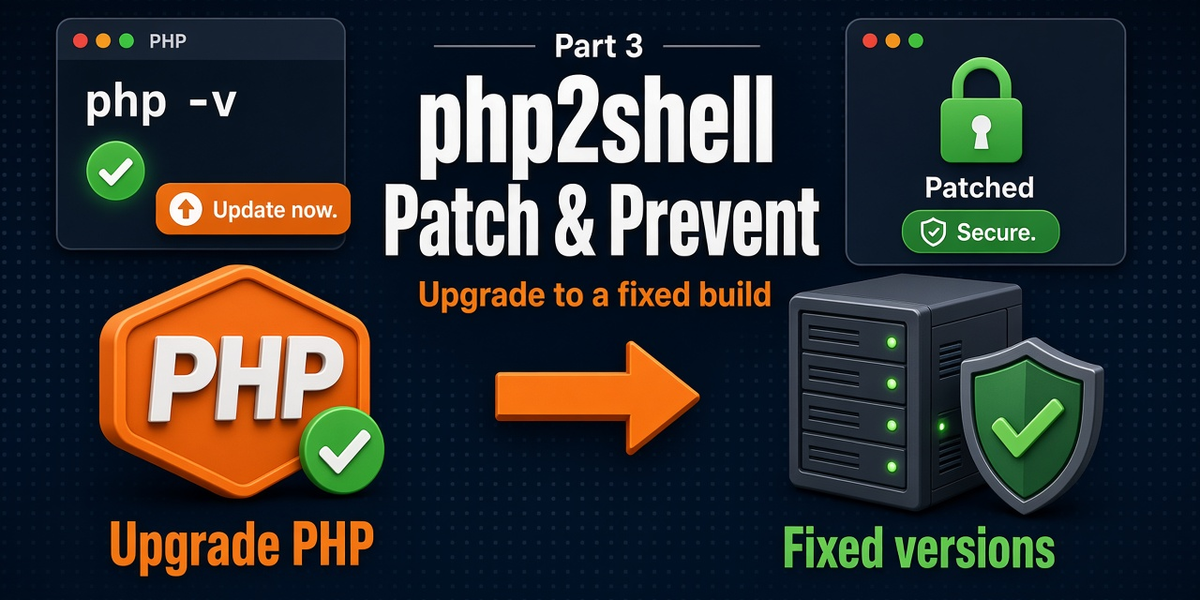
The only complete fix for CVE-2026-109618 and CVE-2026-109619 is running a patched PHP build. Everything else is temporary risk reduction.
Fixed versions (memorize these)
Upgrade to at least:
- PHP 8.5.12 (or newer 8.5.x)
- PHP 8.4.27 (or newer 8.4.x)
- PHP 8.3.36 (or newer 8.3.x)
- PHP 8.2.35 (or newer 8.2.x)
If you are on PHP 8.1 or older: the PHP project is not shipping these fixes on EOL lines. Move to a supported branch, or use a distro/LTS vendor backport if—and only if—your vendor explicitly provides one for these CVEs.
Step 1: Inventory every place PHP runs
Do not assume one php -v covers everything.
- Production web servers (Apache/Nginx)
- Staging and demo hosts with public DNS
- Docker / Kubernetes images
- CI runners that execute PHP
- Control-panel “PHP selectors” per site
- Third-party appliances that embed PHP
CLI and web SAPI versions can differ. Check both.
Quick version checks
# CLI
php -v

# Often useful on FPM hosts
php-fpm -v

# From a temporary PHP info page or your app diagnostics
# Confirm the version your web SAPI actually reports
In Laravel, you can also log PHP_VERSION from a trusted admin-only diagnostic—never leave phpinfo() public.
Step 2: Patch and restart (the real fix)
- Backup first (files + database) if your process requires it.
- Install the fixed PHP packages from your OS vendor, hosting panel, or rebuild your container from a patched base image.
- Point each site/pool to the new PHP version if the host uses version selectors.
- Restart PHP-FPM / Apache / relevant workers so old processes die.
- Re-check
php -v/ web-reported version. - Smoke-test critical flows (login, checkout, admin, queues).
Example: Ubuntu/Debian style (illustrative)
sudo apt update
# Install/upgrade the php packages your stack uses, e.g. php8.3-fpm php8.3-cli ...
sudo systemctl restart php8.3-fpm
# If Apache mod_php:
sudo systemctl restart apache2
php -v
Exact package names vary by distro and PHP minor. Follow your host’s php2shell / Oct 2026 advisory for the precise packages.
Example: Docker / Laravel Sail style mindset
# Rebuild from an image that includes a fixed PHP patch level
docker compose pull
docker compose build --no-cache
docker compose up -d
# Confirm version inside the app container
docker compose exec app php -v
Pinning an old image tag forever is how critical CVEs linger.
Step 3: If you cannot patch today (temporary only)
CISA-style interim guidance includes:
- Prioritize internet-facing systems
- Take unpatchable PHP systems offline until fixed (especially EOL PHP)
- WAF rules may reduce some exploit traffic—treat as a bridge, not a cure
- Reduce exposure — VPN/admin allowlists, shut public staging, disable unused vhosts
Do not stop at WAF and call it done. Schedule the real upgrade.
Related note: CVE-2026-115560
Around the same period, advisories also discussed another RCE-related issue (CVE-2026-115560) with a narrower configuration path involving session upload progress. Until your vendor ships that fix, official interim advice has included disabling:
session.upload_progress.enabled=0Confirm against the latest PHP / distro advisory for your version. This is separate from the main php2shell pair, but worth applying while you are already doing emergency hardening.
Step 4: Monitor for compromise signals
After disclosure, watch for:
- PHP-FPM/Apache workers spawning unexpected shells or download tools
- New unknown PHP files in web roots / upload dirs
- Sudden outbound connections from web users
- Auth anomalies, new admin users, unexpected cron entries
- Worker crash loops or abnormal restarts
CISA published detection-oriented resources (including SIGMA rules) to help defenders hunt suspicious patterns. Use your host logs, WAF logs, and endpoint monitoring together.
If you find indicators of compromise: isolate, rotate secrets (.env, DB, API keys), restore from a known-good backup if needed, and treat credentials as burned.
Step 5: Laravel / app-owner checklist
- Confirm production PHP patch level (not only local Herd/XAMPP)
- Rebuild deploy images; restart Octane/FPM/queue workers after PHP upgrade
- Ensure deploy docs say “PHP security patches are mandatory,” not optional
- Keep
APP_DEBUG=falsein production (reduces info leaks; does not replace PHP patch) - Restrict writable directories; keep secrets out of web-accessible paths
- Review file-upload surfaces and web shells in
storage/andpublic/
Long-term prevention habits (so the next CVE hurts less)
- Stay on supported PHP — EOL versions are a recurring emergency
- Subscribe to host/distro security notices and php.net announcements
- Automate inventory — know which clients/sites run which PHP
- Prefer managed patch channels that ship security updates quickly
- Separate internet-facing from internal admin where practical
- Least privilege for the web user — limit write paths and DB rights
- Backups that you have actually restored — RCE incidents need recovery plans
- Container rebuild discipline — do not freeze vulnerable base images
Quick prevention checklist
- Verify web + CLI PHP versions everywhere
- Upgrade to 8.5.12 / 8.4.27 / 8.3.36 / 8.2.35+
- Restart workers after upgrade
- Rebuild containers / panel PHP selectors
- Offline or isolate systems you cannot patch yet
- WAF as temporary shield only
- Monitor workers, web roots, and outbound traffic
- Rotate secrets if compromise is suspected
- Plan exit from EOL PHP immediately
Conclusion
php2shell is fixed by updating PHP, not by hoping application code is careful enough. Check every environment, move to a fixed release, restart workers, and watch for abuse while the internet scans for stragglers.
If you manage client sites, treat this as a portfolio-wide patch sprint: inventory → upgrade → verify → monitor. That is how you prevent a core PHP CVE from becoming a business incident.
Series navigation: Part 1 — What the bug is · Part 2 — Impact · You are on Part 3
Further reading
- php.net — official downloads and security announcements
- CISA — Critical vulnerabilities in PHP
- PHP Foundation — security release overview
- Part 1 · Part 2