
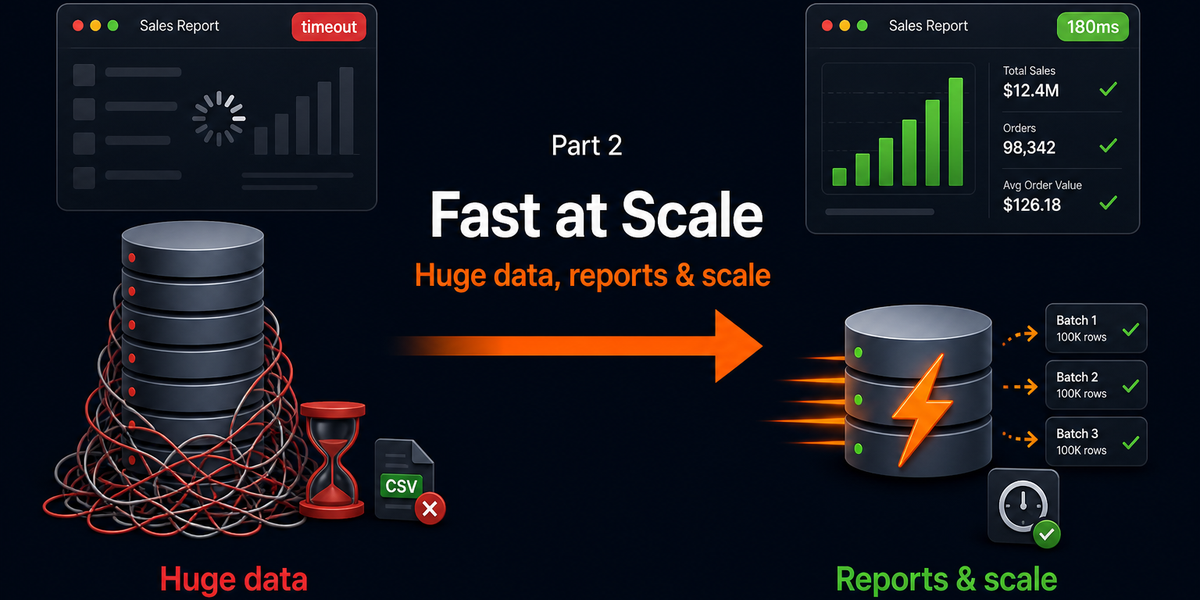
Series — Fast Database Queries (Part 2 of 2). Read Part 1 first (practices 1–10). This post continues with practices 11–20 for huge datasets, heavy reports, and growth.
Introduction
Part 1 fixed everyday pain: lean selects, indexes, N+1, pagination, EXPLAIN. Those habits keep normal pages fast.
Part 2 is for the next stage—when tables grow, exports get big, dashboards get chatty, and one “simple report” starts locking your app for everyone else. The goal is the same: make queries fast so the application stays usable. The tools get a bit more deliberate.
You will get 10 more practices with real Laravel/MySQL-style examples. Use them after Part 1 is already in place. Advanced tricks on top of N+1 chaos still feel slow.
When you need Part 2
- Admin exports time out or eat all RAM
- Search with
LIKE %term%crawls as rows grow - Dashboard counts hit the live tables on every refresh
- Nightly sync jobs insert/update row-by-row for hours
- Reporting queries make checkout/login feel sluggish
If that sounds familiar, keep going.
10 more best practices (11–20)
11. Process huge datasets with chunk() or cursor()
What to do: Never ->get() a million rows into PHP. Stream them in batches with chunkById(), chunk(), or cursor() / lazy collections.
Why it helps: Memory stays flat. The HTTP worker (or queue worker) does not try to hydrate the whole table at once. The system keeps serving other users.
Real example — mark overdue invoices
// Dangerous
$invoices = Invoice::where('status', 'unpaid')
    ->where('due_at', '<', now())
    ->get();
foreach ($invoices as $invoice) {
    $invoice->update(['status' => 'overdue']);
}

// Safe for huge tables
Invoice::query()
    ->where('status', 'unpaid')
    ->where('due_at', '<', now())
    ->orderBy('id')
    ->chunkById(500, function ($invoices) {
        foreach ($invoices as $invoice) {
            $invoice->update(['status' => 'overdue']);
        }
    });
For read-only walks (emails, checksums), lazyById() / cursor() is often even lighter than chunking hydrated collections.
12. Use covering indexes for hot list queries
What to do: Build indexes that include the filter columns and the selected columns when a screen always asks for the same small field set.
Why it helps: MySQL can satisfy the query from the index alone (“covering index” / index-only scan). It avoids jumping to the full table row for every match.
Real example — client invoice list API
-- Query always looks like this
SELECT id, invoice_number, total, status, issued_at
FROM invoices
WHERE client_id = ?
ORDER BY issued_at DESC
LIMIT 20;

-- Covering-style composite index (filter + sort + selected fields)
CREATE INDEX invoices_client_list_covering
ON invoices (client_id, issued_at, id, invoice_number, total, status);
Keep covering indexes narrow and tied to real endpoints. Wide covering indexes help reads but slow writes—use them on high-traffic read paths only.
13. Make search index-friendly (avoid leading-wildcard LIKE)
What to do: Prefer prefix search (term%), full-text indexes, or a dedicated search engine for “contains anywhere” search. Avoid LIKE '%term%' on large tables as your default.
Why it helps: Leading % usually disables normal B-tree index use. As data grows, search becomes a table scan dressed as a feature.
Real example — client search box
// Gets slower forever
Client::where('name', 'like', '%'.$term.'%')->limit(20)->get();

// Better default for autocomplete (uses index on name)
Client::where('name', 'like', $term.'%')
    ->orderBy('name')
    ->limit(20)
    ->get();

// For richer search, FULLTEXT (MySQL InnoDB)
// Migration: $table->fullText(['name', 'email']);
Client::whereFullText(['name', 'email'], $term)->limit(20)->get();
If users truly need fuzzy “contains” across millions of rows, plan Meilisearch/Algolia/OpenSearch—do not pretend LIKE %x% will scale forever.
14. Move heavy reports off the HTTP request
What to do: Generate big CSV/PDF/analytics jobs in a queue. Let the browser poll or email a download link. Do not run 30-second SQL inside a controller action.
Why it helps: Web requests have timeouts. Long SQL holds PHP workers and DB connections. Queues isolate heavy work so the live app stays responsive.
Real example — monthly invoice export
// Controller: accept request, queue work, return fast
public function export(Request $request)
{
    $export = Export::create([
        'user_id' => $request->user()->id,
        'type' => 'invoices_monthly',
        'status' => 'pending',
    ]);

    GenerateInvoiceExport::dispatch($export->id);

    return response()->json([
        'message' => 'Export started',
        'export_id' => $export->id,
    ], 202);
}

// Job: chunk query + write CSV on the worker
public function handle(): void
{
    // chunkById through invoices, write storage path, mark export ready
}
User experience improves immediately: click → “preparing” → download when ready—instead of a spinning browser and a 504.
15. Separate reporting traffic when you scale (read replica mindset)
What to do: When the primary database is busy with writes (orders, payments), send heavy read-only reports to a replica or at least to off-peak jobs. In Laravel, that can mean a second DB connection.
Why it helps: Reporting scans compete with transactional queries. Isolating them protects checkout, login, and API latency.
Real example — Laravel connection for reports
// config/database.php — add a read-only connection (replica or reporting DB)
// .env: DB_REPORT_HOST=...

$rows = DB::connection('mysql_report')
    ->table('invoices')
    ->selectRaw('DATE(issued_at) as day, SUM(total) as revenue')
    ->whereBetween('issued_at', [$from, $to])
    ->groupBy('day')
    ->get();
You may not need a replica on day one. The habit matters: treat analytical queries as different traffic from user-facing writes.
16. Use summary tables / denormalized counters for dashboards
What to do: Precompute expensive counts and totals into a small summary table (or cached counters) updated on write or via a scheduled job.
Why it helps: Dashboards that COUNT(*) across huge tables on every page load will eventually hurt. Reading one summary row is cheap.
Real example — client portal header stats
// Painful every request
$open = Invoice::where('client_id', $id)->where('status', 'unpaid')->count();
$overdue = Invoice::where('client_id', $id)->where('status', 'overdue')->count();

// Better: maintain client_invoice_stats
$stats = DB::table('client_invoice_stats')->where('client_id', $id)->first();
// columns: open_count, overdue_count, unpaid_total, updated_at
Update stats when invoice status changes (observer/job), or rebuild nightly if slight delay is acceptable. Pair with Part 1 caching for even less DB chatter.
17. Prefer batch upserts for sync and import jobs
What to do: For external syncs (CRM, payments, inventory), use chunked upsert() / insert ... on duplicate key update instead of find-then-update per row.
Why it helps: Sync jobs often touch thousands of rows. Bulk upserts cut round trips and lock time.
Real example — syncing products from an API
foreach (array_chunk($products, 200) as $chunk) {
    $rows = [];
    foreach ($chunk as $product) {
        $rows[] = [
            'sku' => $product['sku'],
            'name' => $product['name'],
            'price' => $product['price'],
            'updated_at' => now(),
            'created_at' => now(),
        ];
    }

    DB::table('products')->upsert(
        $rows,
        ['sku'], // unique key
        ['name', 'price', 'updated_at'] // columns to update
    );
}
18. Respect connections and concurrency under load
What to do: Avoid holding DB connections during slow external HTTP calls. Keep transactions short. Watch max connections vs PHP-FPM / queue worker counts.
Why it helps: A “fast query” still hurts the app if 200 workers each hold a connection while waiting on a third-party API. The database then refuses new connections and everything looks down.
Real example — wrong vs right order of work
// Bad: open transaction / hold work while calling Stripe
DB::transaction(function () use ($order) {
    $order->markPaid();
    Http::post('https://api.partner.test/notify', [...]); // slow I/O inside DB work
});

// Better: short DB write, then external call
DB::transaction(function () use ($order) {
    $order->markPaid();
});
NotifyPartner::dispatch($order->id);
Also size workers realistically: PHP-FPM children + queue workers should not casually exceed MySQL max_connections.
19. Drop unnecessary DISTINCT and heavy filesorts
What to do: Treat DISTINCT and multi-column ORDER BY as costs. Fix duplicate rows with better joins/keys instead of papering over them with DISTINCT. Sort only what the UI needs, and support sorts with indexes.
Why it helps: DISTINCT and large sorts often create temporary tables and filesorts—fine for tiny data, painful at scale.
Real example — clients who have unpaid invoices
// Often expensive
SELECT DISTINCT clients.*
FROM clients
JOIN invoices ON invoices.client_id = clients.id
WHERE invoices.status = 'unpaid';

// Cleaner: exists / whereHas style
$clients = Client::query()
    ->whereHas('invoices', fn ($q) => $q->where('status', 'unpaid'))
    ->orderBy('name')
    ->paginate(25);
If EXPLAIN shows Using filesort / Using temporary on a hot query, revisit indexes and whether the sort is required.
20. Keep schema habits that stay fast as tables grow
What to do: Design for growth early: sensible primary keys, NOT NULL where possible, consistent types for join keys, archive/purge old rows, and avoid unbounded unbounded “log forever” tables in the hot path.
Why it helps: Many slow queries are really slow schemas—mismatched client_id types (INT vs BIGINT/VARCHAR), missing FKs/indexes, or a 40-million-row activity_logs table still joined into every admin page.
Real project habits
- Join columns share the same type and collation
- Soft-deleted huge tables still have indexes that include your common filters (or move old soft-deletes out)
- Append-only logs get partitioned/archived; dashboards read summaries (practice 16)
- Add indexes in migrations with the feature, not months after production pain
- Review table size quarterly: what can be archived without hurting product features?
// Example: archive old notifications out of the hot table
DB::table('notifications')
    ->where('created_at', '<', now()->subMonths(6))
    ->orderBy('id')
    ->chunkById(1000, function ($rows) {
        $payload = $rows->map(fn ($r) => (array) $r)->all();
        DB::table('notifications_archive')->insert($payload);
        DB::table('notifications')->whereIn('id', $rows->pluck('id'))->delete();
    });
Quick checklist (Part 2)
- Chunk/cursor huge reads and updates
- Add covering indexes for hot list endpoints
- Replace leading-wildcard LIKE with prefix/full-text/search engine
- Queue heavy exports and reports
- Isolate reporting reads as you scale
- Maintain summary/counter tables for dashboards
- Batch upserts for syncs
- Keep transactions short; watch connection counts
- Avoid lazy DISTINCT / unsupported big sorts
- Archive and keep join keys consistent as data grows
How Part 1 + Part 2 work together
| Part 1 (everyday) | Part 2 (growth) |
|---|---|
| Select less, index filters, fix N+1 | Chunk millions of rows safely |
| Paginate lists | Queue multi-minute exports |
| Cache repeated counts | Summary tables + replicas for dashboards/reports |
| EXPLAIN one slow page | Schema/archive habits so tomorrow stays fast |
Conclusion
Fast queries at small scale are about discipline. Fast queries at large scale are about boundaries: how much you load into memory, what you run in HTTP vs queues, what you precompute, and what traffic shares the primary database.
If Part 1 made normal pages snappy, Part 2 keeps the app alive when data and features grow. Start with chunking and queued reports—those two alone prevent most “the site dies during export” incidents. Then harden search, summaries, and schema as your tables cross the next size milestone.
Quick path: measure the heavy job → chunk it → move it off HTTP → support it with the right index/summary → re-measure under load.
Series navigation: Previous: Part 1 — 10 core practices · You are on Part 2
Further reading
- Part 1 — How to Make Your Database Queries Run Fast
- MySQL
EXPLAIN/ slow query log documentation for your server version - Laravel docs: queues,
chunkById,lazyById,upsert, multiple DB connections