

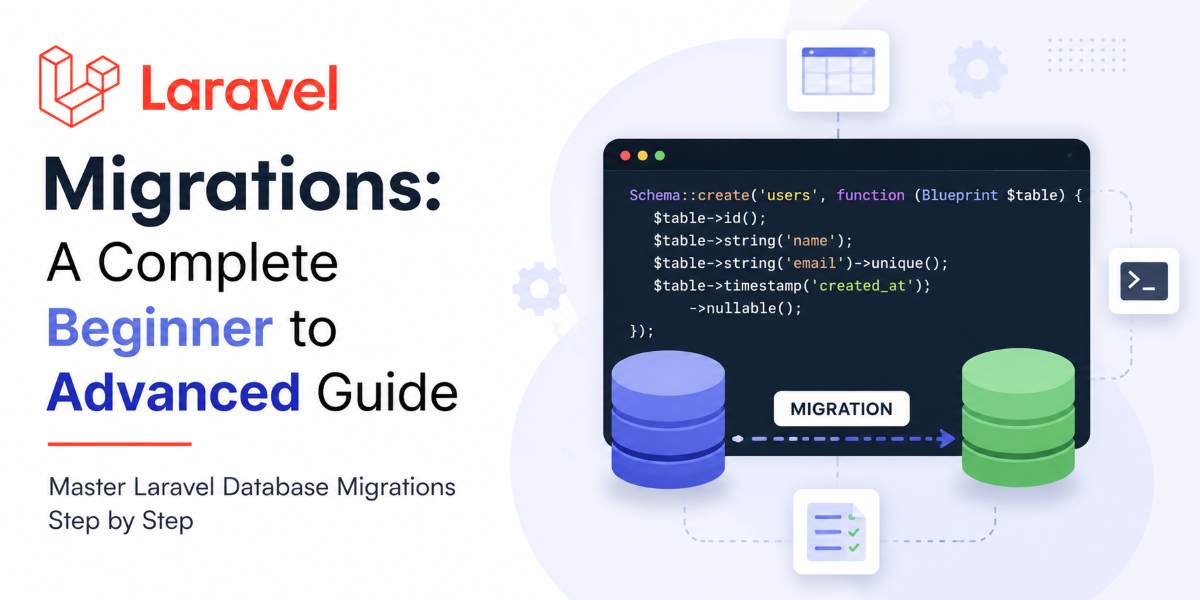
When developing a web application, one of the first tasks is designing the database. Every application needs tables to store information such as users, products, orders, or blog posts. Traditionally, developers create these tables by writing SQL queries directly in the database.
For example, if you want to create a users table, you might write a SQL query like this:
CREATE TABLE users (
    id INT PRIMARY KEY AUTO_INCREMENT,
    name VARCHAR(255),
    email VARCHAR(255),
    password VARCHAR(255)
);
Although writing SQL queries is perfectly valid, it becomes difficult to manage as your application grows. Imagine working on a project with multiple developers. One developer creates a new table, another modifies an existing table, while another adds new columns. Sharing SQL files manually can quickly become confusing and increases the chances of mistakes.
Some common problems with manual SQL scripts include:
- Developers forgetting to run a SQL file.
- Databases becoming inconsistent across different environments.
- Difficulty tracking who made which database changes.
- Complicated deployment to testing and production servers.
- No easy way to undo a database change if something goes wrong.
To solve these problems, Laravel provides a powerful feature called Migrations.
A migration allows you to define your database structure using PHP instead of writing SQL scripts manually. Laravel keeps track of every migration that has been executed, making it easy to create, modify, and maintain your database throughout the life of your project.
You can think of Laravel Migrations as version control for your database, just as Git is version control for your source code.
What is a Laravel Migration?
A Laravel Migration is a PHP file that contains instructions for creating or modifying your database schema. Instead of manually writing SQL statements, you use Laravel's Schema Builder to define your database structure.
Each migration represents a single change to your database, such as:
- Creating a new table
- Adding a new column
- Modifying an existing column
- Creating indexes
- Defining foreign key relationships
- Removing tables or columns
Once the migration is written, Laravel executes it using Artisan commands and records the change so that it is never executed twice.
Understanding Migrations with a Real-World Example
Imagine you are constructing a new house.
The construction happens step by step:
- Build the foundation.
- Construct the walls.
- Install the roof.
- Add doors and windows.
- Paint the house.
Each step is completed in a specific order. If you later decide to remove the windows, you don't demolish the entire house—you simply reverse the step that installed the windows.
Laravel Migrations work in exactly the same way.
Every migration represents one database change.
For example:
- Migration 1 creates the
userstable. - Migration 2 creates the
poststable. - Migration 3 adds a
phonecolumn to theuserstable. - Migration 4 creates the
commentstable.
Laravel executes these migrations one after another in the correct order.
If you ever need to undo a change, Laravel can roll back only the required migration without affecting the others.
Why Should We Use Laravel Migrations?
Before Laravel Migrations, developers often shared SQL files.
For example:
Create users table.sqlAdd phone column.sqlUpdate orders table.sql
Now imagine a new developer joins your project.
You might have to tell them:
- Run this SQL file first.
- Then execute this second SQL file.
- Finally, execute this
ALTER TABLEscript.
This process is time-consuming and error-prone.
With Laravel Migrations, the new developer only needs to run a single command:
php artisan migrateLaravel automatically executes every pending migration in the correct order.
Benefits of Laravel Migrations
Laravel Migrations offer several advantages:
- Maintain database version control.
- Keep every developer's database synchronized.
- Simplify deployment to staging and production.
- Allow database changes to be rolled back.
- Reduce manual SQL scripting.
- Improve team collaboration.
- Make projects easier to maintain over time.
How Laravel Keeps Track of Migrations
Many beginners wonder:
How does Laravel know which migrations have already been executed?
The answer is simple.
When you run your first migration, Laravel automatically creates a table named migrations in your database.
This table stores information about every migration that has been executed.
Example:
| id | migration | batch |
|---|---|---|
| 1 | create_users_table | 1 |
| 2 | create_posts_table | 1 |
| 3 | add_phone_to_users_table | 2 |
Each row represents one completed migration.
Whenever you run:
php artisan migrateLaravel checks this table.
- If a migration file already exists in the table, Laravel skips it.
- If it doesn't exist, Laravel executes the migration and records it in the table.
This ensures that the same migration is never executed twice.
Migration Lifecycle
Every migration follows a simple lifecycle:
- Create Migration
- Write Database Schema
- Run Migration Command
- Database Gets Updated
- Migration Stored in
migrationsTable - Rollback if Needed
Let's understand each step.
Step 1 – Create a Migration
Generate a new migration file using an Artisan command.
Step 2 – Write the Database Schema
Define the database structure using Laravel's Schema Builder.
Step 3 – Execute the Migration
Laravel reads the migration file and applies the changes to your database.
Step 4 – Record the Migration
Laravel stores the migration name in the migrations table.
Step 5 – Rollback (Optional)
If you need to undo the change, Laravel can reverse the migration using the down() method.
SQL vs Laravel Migration
Creating a table manually using SQL:
CREATE TABLE users (
    id INT PRIMARY KEY AUTO_INCREMENT,
    name VARCHAR(255),
    email VARCHAR(255),
    password VARCHAR(255)
);
Creating the same table using Laravel Migration:
Schema::create('users', function (Blueprint $table) {
    $table->id();
    $table->string('name');
    $table->string('email')->unique();
    $table->string('password');
    $table->timestamps();
});
Notice how Laravel code is more readable and easier to maintain. You don't need to remember SQL syntax for every database system because Laravel translates the migration into the appropriate SQL for your configured database.
When Should You Create a Migration?
You should create a migration whenever your application's database structure changes.
Examples include:
- Creating a new table.
- Adding a new column.
- Removing a column.
- Changing a column's data type.
- Creating indexes.
- Adding foreign key relationships.
- Renaming tables or columns.
In short, any structural change to the database should be handled through a migration.
Summary
Laravel Migrations provide a safe, organized, and maintainable way to manage your database schema. Instead of manually writing and sharing SQL scripts, developers define database changes in migration files, which Laravel executes automatically.
Migrations make it easier to collaborate with teams, deploy applications to different environments, track database changes, and roll back updates whenever necessary.
If you're building applications with Laravel, learning migrations is one of the most important skills you can develop. They not only save time but also ensure that every environment—from local development to production—uses the same database structure, reducing errors and improving the overall development workflow.