

Introduction
Every time you open a website, your browser and the server talk using a web protocol. That conversation is almost always either HTTP or HTTPS. The difference looks small in the address bar—http:// vs https://—but it decides whether data travels in readable plain text or inside an encrypted tunnel.
This guide explains what HTTP is, what HTTPS is, how each works, the practical differences, and why HTTPS is the default for modern sites (including Laravel apps, client portals, and e-commerce). No heavy math—just clear concepts and real examples.
What is HTTP?
HTTP means HyperText Transfer Protocol. It is the basic language browsers and servers use to request and send web pages, images, APIs, forms, and files.
A simple HTTP flow:
- You type
http://example.com/about(or click a link). - The browser sends an HTTP request to the server (method, path, headers, sometimes a body).
- The server sends an HTTP response (status code, headers, HTML/JSON/file body).
- The browser shows the page or processes the data.
Common request methods you see in development:
- GET — read/fetch something (page, API data)
- POST — submit data (forms, create records)
- PUT / PATCH — update data
- DELETE — remove data
HTTP also uses status codes such as:
- 200 — OK
- 301 / 302 — redirect
- 404 — not found
- 500 — server error
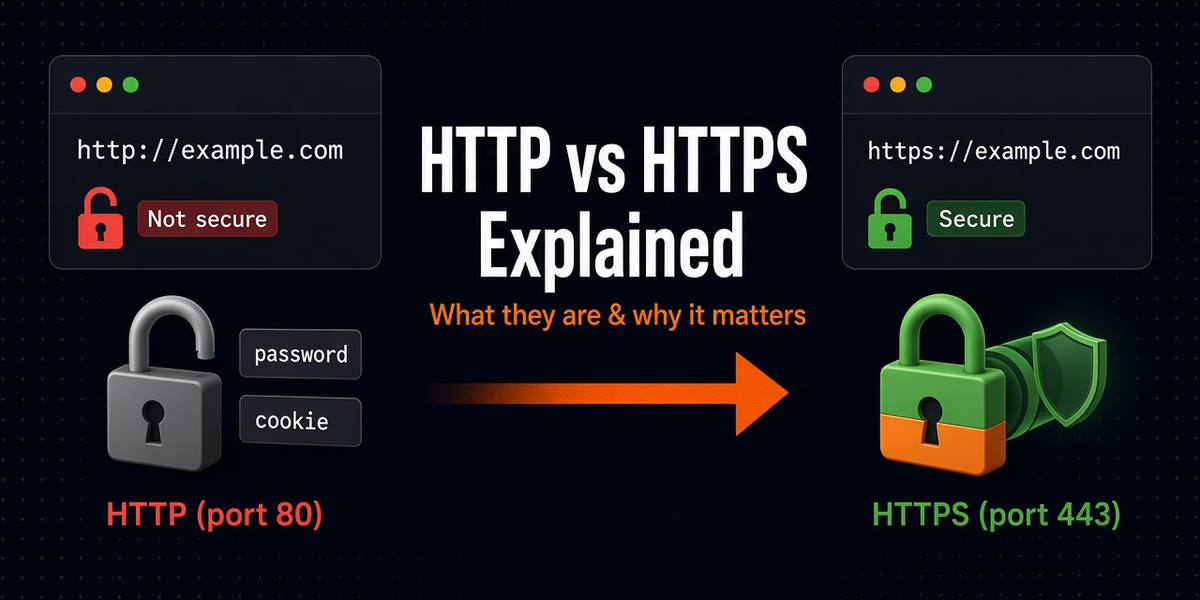
Default HTTP port: 80.
Important limitation: classic HTTP does not encrypt the connection. Anyone who can inspect the network path (public Wi‑Fi attacker, misconfigured proxy, etc.) may read or tamper with traffic in transit.
What is HTTPS?
HTTPS means HTTP Secure (HTTP over TLS). It is still HTTP for the web conversation—same requests, responses, methods, and status codes—but the transport is wrapped in encryption using TLS (Transport Layer Security). People still say “SSL certificate,” but modern sites use TLS.
Default HTTPS port: 443.
With HTTPS, the browser and server first agree on encryption keys (the TLS handshake), then send normal HTTP messages inside that encrypted channel. The content is protected in transit.
HTTPS typically provides:
- Encryption — outsiders cannot easily read passwords, tokens, forms, or cookies in transit
- Integrity — data is harder to modify unnoticed between client and server
- Authentication — the certificate helps prove the browser is talking to the real site (for that domain), not a random impostor
HTTP vs HTTPS: quick comparison
| HTTP | HTTPS | |
|---|---|---|
| Full name | HyperText Transfer Protocol | HTTP Secure (HTTP over TLS) |
| URL starts with | http:// |
https:// |
| Default port | 80 | 443 |
| Encryption in transit | No | Yes (TLS) |
| Certificate needed | No | Yes (TLS/SSL certificate) |
| Browser padlock | Usually warns / “Not secure” | Secure connection (when set up correctly) |
| Good for passwords / payments / logins | No | Yes (required in practice) |
| SEO / trust | Weaker for public sites | Expected standard |
Remember: HTTPS does not magically fix every security problem. It protects the pipe between browser and server. Weak passwords, XSS bugs, or a hacked server are separate issues.
How HTTP works (simple request/response)
Example mental model for loading a blog post:
Browser → GET /blog/http-vs-https-explained HTTP/1.1
Host: rohitwebco.com

Server → HTTP/1.1 200 OK
Content-Type: text/html
... HTML page ...
APIs work the same way, often with JSON:
POST /api/login
Content-Type: application/json

{"email":"user@example.com","password":"secret"}
On plain HTTP, that password body can travel readable on the network. On HTTPS, the same POST exists, but the bytes on the wire are encrypted.
How HTTPS works (without the scary crypto)
High-level steps:
- Browser connects to the site on port 443.
- Server presents a TLS certificate for the domain (example:
rohitwebco.com). - Browser checks whether the certificate is valid, trusted, and matches the domain.
- Browser and server negotiate encryption keys.
- From then on, HTTP requests/responses travel encrypted.
That is why a wrong certificate, expired certificate, or domain mismatch triggers a scary browser warning. The browser is refusing to trust the channel.
What is an SSL/TLS certificate?
A certificate is a digital file that binds a domain name to a cryptographic key pair and is issued by a trusted Certificate Authority (CA) (Let’s Encrypt, commercial CAs, etc.). Hosting panels, Cloudflare, and Laravel Forge-style tools often issue and renew these automatically.
Types you will hear about:
- Domain Validated (DV) — common free/cheap certs; proves control of the domain
- Organization Validated (OV) / Extended Validation (EV) — more identity checks; less critical for most small/medium sites today than simply having HTTPS at all
- Wildcard — covers
*.example.com
Why HTTPS matters for your website and app
- Login and forms — protect passwords, contact forms, checkout, admin panels
- User trust — browsers label HTTP as “Not secure”
- SEO — HTTPS is a ranking signal and expected for serious sites
- Modern browser features — some APIs and cookies behaviors prefer or require secure contexts
- API clients and mobile apps — many environments discourage cleartext HTTP
- Compliance / client expectations — agencies and clients usually require HTTPS before launch
If your site accepts logins, payments, personal data, or admin access, HTTP-only is not acceptable.
Real project examples
Example 1: Public marketing site
A portfolio or agency site may have mostly public content. Still use HTTPS. Visitors should not see “Not secure,” and contact forms should not submit over plain HTTP.
Example 2: Laravel admin / client portal
Admin panels, invoices, and client dashboards carry session cookies and private data. Force HTTPS in production:
- Issue a certificate on the host / Cloudflare / load balancer
- Redirect all
http://traffic tohttps:// - Set
APP_URL=https://yourdomain.com - Use secure cookies in production
In Laravel, common production habits include trusting proxies correctly (if behind Cloudflare/Nginx) and enabling HTTPS redirection so generated URLs and redirects stay on https://.
Example 3: Mixed content bug
Your page loads on HTTPS, but a script or image still uses http://:
<script src="http://example.com/old.js"></script>Browsers may block that request. Result: broken layout or broken JS. Fix by using HTTPS URLs or protocol-relative / root-relative paths that inherit HTTPS.
Example 4: Local development vs production
Local XAMPP/Laravel Valet often runs on http://localhost or http://127.0.0.1. That can be fine for local work. Production should be HTTPS. Do not copy local HTTP assumptions into live APP_URL, payment callbacks, or OAuth redirect URLs.
How to move a site from HTTP to HTTPS (practical checklist)
- Get a certificate for your domain (hosting panel, Let’s Encrypt, Cloudflare).
- Install / enable HTTPS on the web server or CDN.
- Test
https://yourdomain.comin a browser (no certificate warnings). - 301 redirect HTTP → HTTPS so old links still work.
- Update app config (
APP_URL, canonical URLs, sitemap, payment/webhook URLs). - Fix mixed content (hardcoded
http://assets). - Enable HSTS (optional next step) so browsers prefer HTTPS after the first secure visit.
- Update Search Console / analytics properties if needed.
Common mistakes
- Assuming HTTPS means the whole app is secure — it encrypts transport; you still need good auth, validation, and server hygiene
- Certificate expired / wrong domain — users see warnings and leave
- No redirect from HTTP — some visitors and old backlinks stay on insecure URLs
- Mixed content — HTTPS page loading HTTP assets
- Wrong proxy settings behind Cloudflare — app thinks requests are HTTP and generates insecure links
- Hardcoding
http://in emails and sitemaps — sends people to the old scheme
HTTP/1.1, HTTP/2, HTTP/3 (short note)
You may also hear version names:
- HTTP/1.1 — classic widely supported version
- HTTP/2 — more efficient multiplexing; commonly used with HTTPS
- HTTP/3 — newer transport (QUIC); still HTTP semantics
These versions improve performance and connection handling. They do not replace the HTTP vs HTTPS security decision. Your site should still be served as HTTPS.
Quick checklist
- HTTP = web request/response protocol without encryption by default
- HTTPS = same HTTP messages inside a TLS-encrypted connection
- Ports: HTTP 80, HTTPS 443
- Use HTTPS for any real public site, especially anything with login or personal data
- Redirect HTTP → HTTPS and fix mixed content
- Keep certificates valid and matching your domain
Conclusion
HTTP is how the web speaks. HTTPS is how the web speaks privately and with stronger trust. The page language stays HTTP; the secure tunnel is TLS.
For modern websites and applications, HTTPS is not a premium add-on. It is baseline infrastructure—like DNS and hosting. If you are launching or maintaining a client site, Laravel app, or API that real users touch, run it on HTTPS, redirect the old HTTP URLs, and keep certificates healthy.
Quick path: understand request/response → know HTTP is cleartext → add TLS for HTTPS → redirect + fix mixed content → keep certs renewed.