
Introduction
If you work with modern PHP—Laravel, Symfony, WordPress plugins that ship with packages, or any serious custom app—you will meet Composer on day one. People say “run composer install” the way they say “npm install” in JavaScript. But many developers still treat Composer as a magic command instead of understanding what it actually does.
This guide explains PHP Composer in plain language: what it is, what it is used for, how it works under the hood, the important files you must know, everyday commands, and real project examples. By the end, you should feel comfortable reading a composer.json, installing packages safely, and knowing why vendor/ exists.
What is PHP Composer?
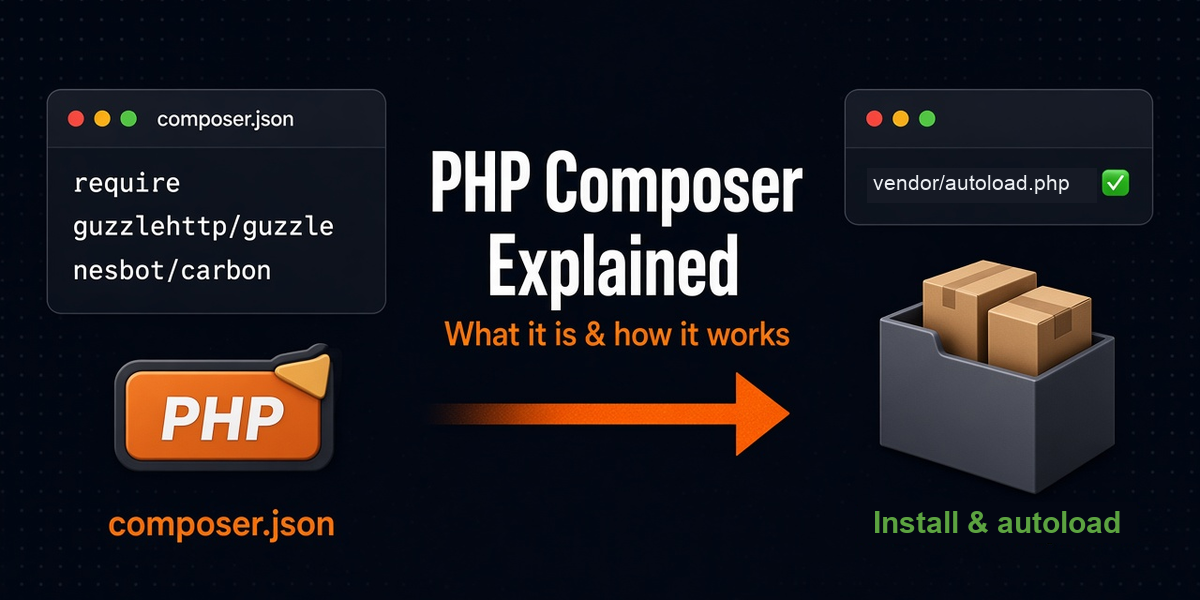
Composer is the standard dependency manager for PHP. It downloads the PHP libraries your project needs, puts them in a vendor/ folder, and generates an autoloader so you can use those libraries with use statements instead of manual require chaos.
Think of it like this:
- npm / yarn → JavaScript packages
- Composer → PHP packages
Composer does not install PHP itself (that is your server / XAMPP / PHP binary). Composer manages PHP libraries and frameworks that your application code depends on—for example Laravel, DomPDF, Guzzle, Carbon, PHPUnit.
Most packages come from Packagist (packagist.org), the main public package repository for Composer.
What is Composer used for?
In real projects, Composer solves problems you used to solve the hard way:
- Install libraries — add DomPDF, Stripe SDK, image tools, etc. with one command
- Manage versions — lock compatible versions so “it works on my machine” becomes “it works on the server too”
- Autoload classes — no more long lists of
require_oncefor every file - Share projects cleanly — commit
composer.json+composer.lock; teammates runcomposer install - Separate prod vs dev tools — keep PHPUnit/Pint off production with
require-dev - Run package scripts — many frameworks use Composer scripts for setup tasks
Without Composer, a Laravel-style project would be almost impossible to maintain: you would manually download zip files, fight version mismatches, and break autoloading constantly.
How Composer works (step by step)
Here is the mental model:
- You declare what your project needs in
composer.json(package names + version rules). - Composer talks to Packagist (or other repositories) and builds a dependency graph—including packages your packages need.
- It writes the exact resolved versions into
composer.lock. - It downloads those packages into
vendor/. - It generates
vendor/autoload.php, which maps namespaces/classes to files (PSR-4 and more). - Your app boots with one line:
require __DIR__.'/vendor/autoload.php';(Laravel does this for you inpublic/index.php/ bootstrap).
So Composer is both a downloader and an autoload generator. The second part is as important as the first.
The files and folders you must understand
composer.json
This is the project’s dependency manifest—human-edited (or edited via Composer commands). It says what you want, not always the exact final patch versions.
Common sections:
require— packages needed to run the app (Laravel, DomPDF, etc.)require-dev— packages for local/dev/test only (PHPUnit, Pint, Sail)autoload— how your app classes load (usually PSR-4:App\\→app/)autoload-dev— autoload for testsscripts— custom commands Composer can runconfig— Composer behavior options
Simplified example inspired by a Laravel app:
{
  "name": "rohit/my-app",
  "require": {
    "php": "^8.2",
    "laravel/framework": "^12.0",
    "dompdf/dompdf": "^3.1"
  },
  "require-dev": {
    "phpunit/phpunit": "^11.5"
  },
  "autoload": {
    "psr-4": {
      "App\\": "app/"
    }
  }
}
The ^ in ^12.0 means “compatible with 12.x according to semantic versioning rules”—Composer will pick a safe latest matching version when resolving.
composer.lock
This file stores the exact versions Composer actually installed (including nested dependencies). If composer.json says ^3.1, the lock might pin 3.1.2 plus every sub-package version.
Rule:
- Commit
composer.lockfor applications (Laravel sites, APIs, client projects). - On the server / teammate machine, prefer
composer installso everyone gets the same versions. - Use
composer updatewhen you intentionally want newer versions (then commit the new lock file).
vendor/
This folder holds downloaded packages and the generated autoloader. It can be large.
Do not commit vendor/ in most projects. Recreate it with Composer. Deployments usually run composer install --no-dev --optimize-autoloader on the server (or build pipeline).
vendor/autoload.php
The single entry point that loads class maps / PSR-4 mappings. Your application includes this once. After that, new Dompdf\Dompdf() or use App\Models\User; just works—if the namespace is mapped correctly.
Autoloading: the part that makes PHP feel modern
Before Composer, PHP projects often looked like:
require_once 'lib/Invoice.php';
require_once 'lib/Pdf.php';
require_once 'vendor-old/dompdf/dompdf.php';
// ... dozens more
With Composer PSR-4 autoload:
require __DIR__.'/vendor/autoload.php';

use App\Services\InvoicePdfService;
use Dompdf\Dompdf;

$service = new InvoicePdfService();
PSR-4 means: namespace prefix maps to a directory. Example:
App\Models\Invoice→ fileapp/Models/Invoice.phpApp\Http\Controllers\BlogController→app/Http/Controllers/BlogController.php
When you add a new class file under app/ that follows that mapping, Composer usually finds it automatically. If you change autoload rules in composer.json, run:
composer dump-autoloadInstall Composer (quick)
On many machines:
composer --versionIf missing, install from the official docs: getcomposer.org/download.
On macOS, Composer is often installed via Homebrew. On shared hosting, you may use a composer.phar file:
php composer.phar installEveryday Composer commands (with meaning)
composer install
Reads composer.lock (if present) and installs those exact versions into vendor/.
Use this:
- After cloning a project
- On production / staging deploys
- When you want reproducible builds
composer install
composer install --no-dev --optimize-autoloader
--no-dev skips require-dev packages. --optimize-autoloader builds a faster class map for production.
composer update
Resolves versions again from composer.json rules, updates composer.lock, and installs the new set.
composer update
composer update dompdf/dompdf
Be careful on production. Prefer updating locally, testing, committing the lock file, then deploying with install.
composer require
Adds a package to require and installs it:
composer require dompdf/dompdf
composer require intervention/image:^3.0
composer require --dev
Adds a development-only package:
composer require --dev phpunit/phpunitcomposer remove
Removes a package from JSON + vendor:
composer remove predis/prediscomposer dump-autoload
Rebuilds the autoloader without resolving new packages. Useful after changing namespaces or adding classmaps.
composer show / why / outdated
composer show
composer show laravel/framework
composer why guzzlehttp/guzzle
composer outdated
These help you debug “why is this package here?” and “what can be upgraded?”
Real project examples
Example 1: Fresh Laravel-style workflow
git clone your-repo.git
cd your-repo
composer install
cp .env.example .env
php artisan key:generate
Here Composer restores the exact PHP dependencies the project was built with. Without composer install, Laravel cannot boot because vendor/ is missing.
Example 2: Add PDF generation to an invoicing app
composer require dompdf/dompdfThen in your service:
use Dompdf\Dompdf;

$dompdf = new Dompdf();
$dompdf->loadHtml($html);
$dompdf->render();
return $dompdf->output();
Composer downloaded DomPDF + its dependencies and wired autoload. You did not manually include DomPDF’s internal files.
Example 3: Production deploy habit
# on server / CI after code sync
composer install --no-dev --optimize-autoloader --no-interaction
This keeps production lean (no PHPUnit) and autoload faster.
Example 4: Custom package namespace in your own app
If you create app/Support/Money.php with namespace App\Support, PSR-4 already maps App\\ → app/ in typical Laravel composer.json. No extra Composer config needed.
If you invent a new root namespace, add it under autoload.psr-4, then run composer dump-autoload.
composer.json vs composer.lock (don’t mix them up)
| File | Role | When it changes |
|---|---|---|
composer.json |
What you allow / request | When you require/remove packages or edit rules |
composer.lock |
Exact resolved tree | On install (if no lock) or update/require |
vendor/ |
Actual code on disk | Every install/update/require/remove |
If two developers have the same lock file and both run composer install, they should get the same dependency versions. That stability is one of Composer’s biggest benefits.
Semantic versioning in one minute
Package versions usually look like MAJOR.MINOR.PATCH (example 3.1.2):
- MAJOR — breaking changes
- MINOR — new features, backward compatible
- PATCH — bug fixes
Common constraints:
^3.1— >= 3.1 and < 4.0~3.1.0— >= 3.1.0 and < 3.2.03.1.*— any 3.1.x
Understanding this helps you read why composer update jumped a version—or refused one.
Common mistakes (and how to avoid them)
- Running
composer updateblindly on production — can pull unexpected upgrades. Deploy withinstallfrom a tested lock file. - Committing
vendor/— noisy diffs, merge pain, huge repos. Commit JSON + lock instead. - Deleting
composer.lock— destroys reproducibility. - Editing files inside
vendor/— your changes vanish on next install. Extend via your app code or forks/patches. - Forgetting PHP version constraints — a package may need PHP 8.2+ while the server is on 8.1. Read error messages; align environments.
- Mixing global and project confusion — project dependencies live in that project’s
vendor/. Global Composer packages are separate.
How Composer fits with Laravel (practical view)
Laravel itself is a Composer package set. When you create or clone a Laravel app:
laravel/frameworkand friends land invendor/- your code lives in
app/,routes/, etc. - Artisan, Eloquent, routing—all load through Composer’s autoloader
So learning Composer is not optional side knowledge for Laravel developers. It is part of how the framework exists on disk.
Quick checklist
- Composer = PHP dependency manager + autoload generator
composer.json= what you requestcomposer.lock= exact versions to installvendor/= downloaded code (usually not committed)- Clone/deploy →
composer install - Add library →
composer require ... - Intentional upgrades →
composer update(then test + commit lock) - Changed autoload config →
composer dump-autoload
Conclusion
PHP Composer is the tool that makes modern PHP projects shareable, installable, and maintainable. It does two critical jobs: resolve and download dependencies, and autoload classes so your application can grow without a jungle of manual requires.
If you remember only one workflow, remember this: declare needs in composer.json, lock reality in composer.lock, restore with composer install, and keep vendor/ generated—not hand-managed.
Once that clicks, commands like require, update, and dump-autoload stop feeling magical. They become normal tools in your daily PHP and Laravel work.
Quick path: understand JSON + lock + vendor → use install for setup/deploy → use require to add packages → use update only when you mean it → never edit vendor/ by hand.